

Universal header and footer for every email
Set up your header and footer once, and every email that uses it updates when you save.
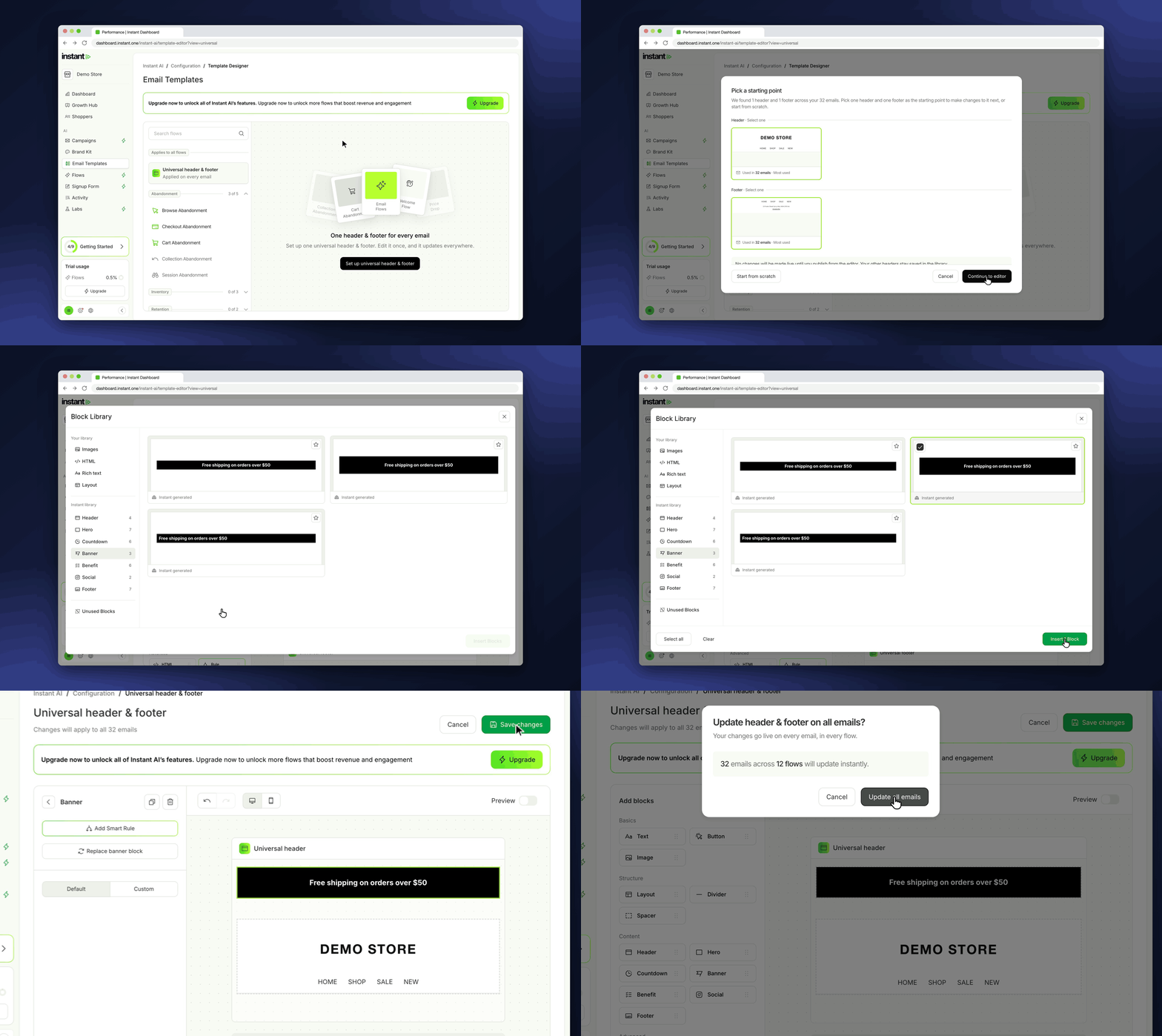
The first time you save, the universal header and footer are added to every flow email. Campaigns do not change automatically, so you add it to a campaign from Headers or Footers in the Block Library.
After that, a new logo, link or sale banner is one edit instead of one edit per email. A Smart Rule in the header, such as a banner that changes for a sale, only has to be set up once.
- Build one universal header and one universal footer, and use them across your flow emails and campaigns
- Find it under Email Templates > Universal header & footer, then click *Set up universal header & footer*
- Start from a header and footer you already use, or start from scratch
- Group more than one block in each, such as a header, a sale banner and custom HTML, and add Smart Rules that apply in every email
- Detach it in any single email to make a local copy for that email only