

Turbo mode sends flow emails 2x sooner
Turn on Turbo mode during a sale to send your flow emails 2x sooner, with the same number of emails.
Turbo mode does not add emails or change your cooldowns. It moves each flow email forward, for all of your flows at once, and it stays on until you turn it off. Emails that are already scheduled keep their time, so shoppers already in a flow get the faster timing from their next email. During a short sale, your normal flow timing can mean the later emails in a flow land after the sale has ended. With Turbo mode on for BFCM or an early access sale, a shopper who abandons their cart hears from you while your offer is still live.
- Turn on Turbo mode and the wait before each flow email is halved, so your flow emails send 2x sooner
- A great setting to consider for weekend sales or during BFCM
- An email that usually sends 24 hours after the last one sends after 12 hours, and your shoppers still get the same number of emails
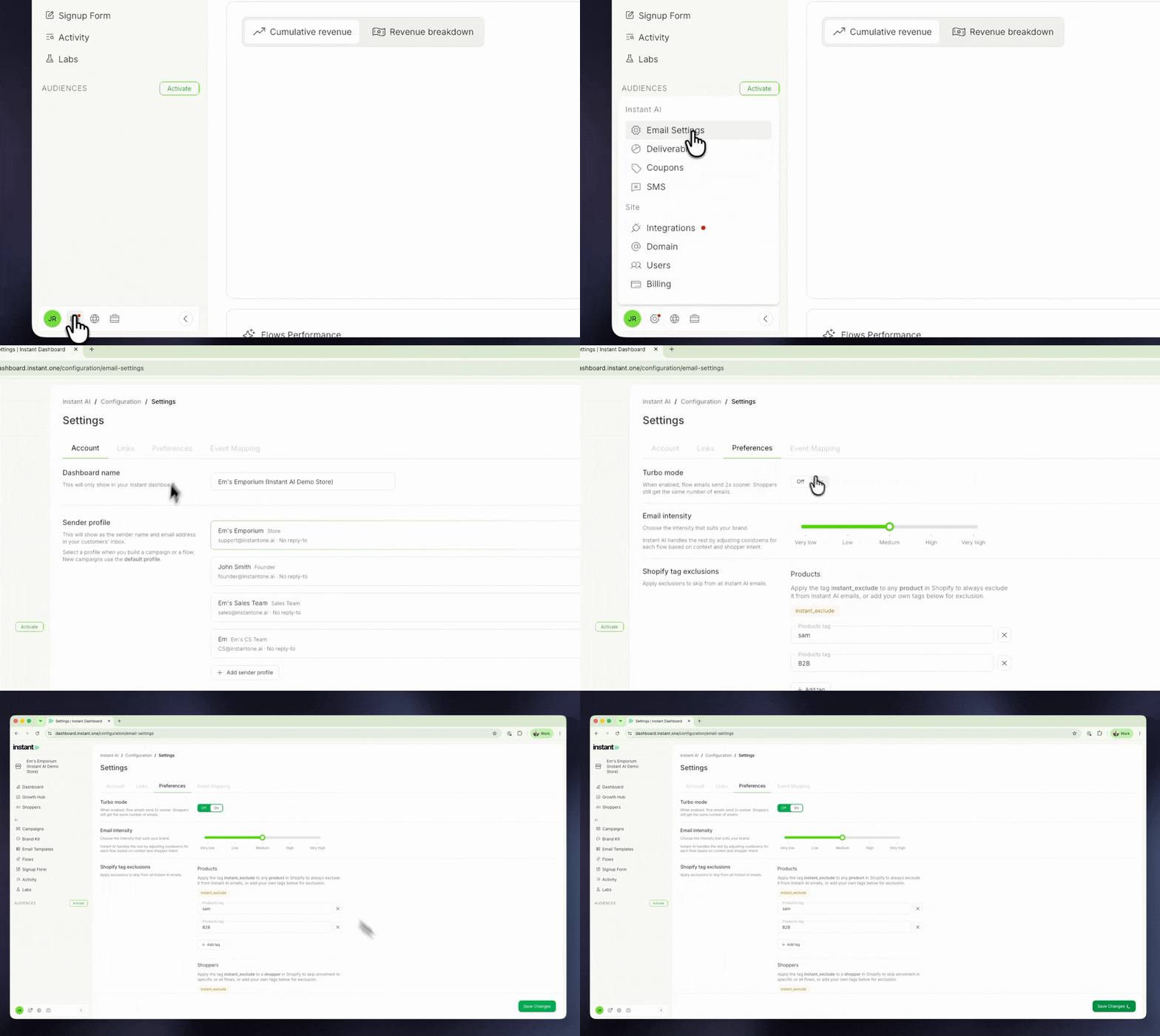
- Find it under Settings cog > Email Settings > Preferences, then click Save Changes
- A green "Turbo mode is on" banner shows on your dashboard and your Flows page while it is on
- It is off by default, and you can turn it on or off at any time of year