

Send different SMS to different shoppers
Merchants can now send one SMS campaign with a different message and link for each group of shoppers, using Smart Rules.
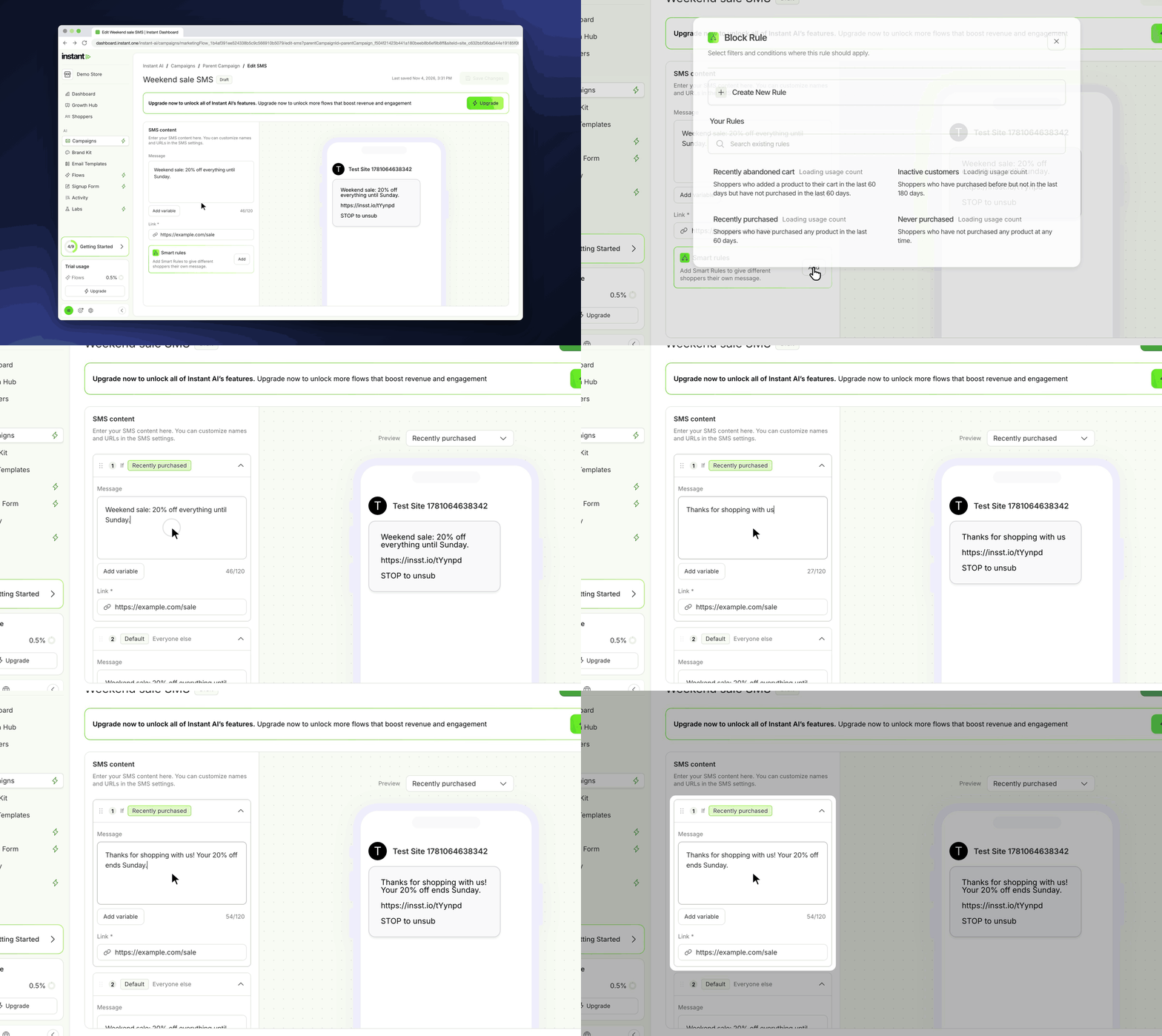
- Before, one SMS campaign sent the same text to every shopper. To give VIPs or one country a different offer, you had to make and schedule more campaigns.
- Now one campaign covers every group, with one schedule and one report.
- Merchants who send SMS campaigns benefit, especially when they give VIPs, repeat buyers or one region a different offer.
- It brings the Smart Rules of email campaigns to SMS.
- *Smart Rules in SMS campaigns:* open an SMS campaign in Instant AI > Campaigns. "Smart rules" is under the message.
- *Add a rule:* click "Add", then pick a saved rule, such as "VIP repeat buyers", or create a new rule. The new rule starts with a copy of your message and link, so you change only what is different.
- *A card for each rule:* each rule has its own message and link. The "Default" card is for everyone else. Drag the cards to change their order. Open, close, change or delete a rule from its card.
- *Live preview:* when you edit the message of a rule, the phone preview shows that message. You can also pick which message to preview from "Preview".
- *One send:* each shopper gets the message of the first rule that they match. All other shoppers get the Default.
- *Cleaner editor:* the character count is now on the same row as "Add variable". The side panel keeps one width, and when you have many rules, only the panel scrolls.