

Schedule a seasonal look for your Brand Kit
Give your emails a sale look for BFCM, and choose the dates it starts and ends, so your branding switches over and back on its own.
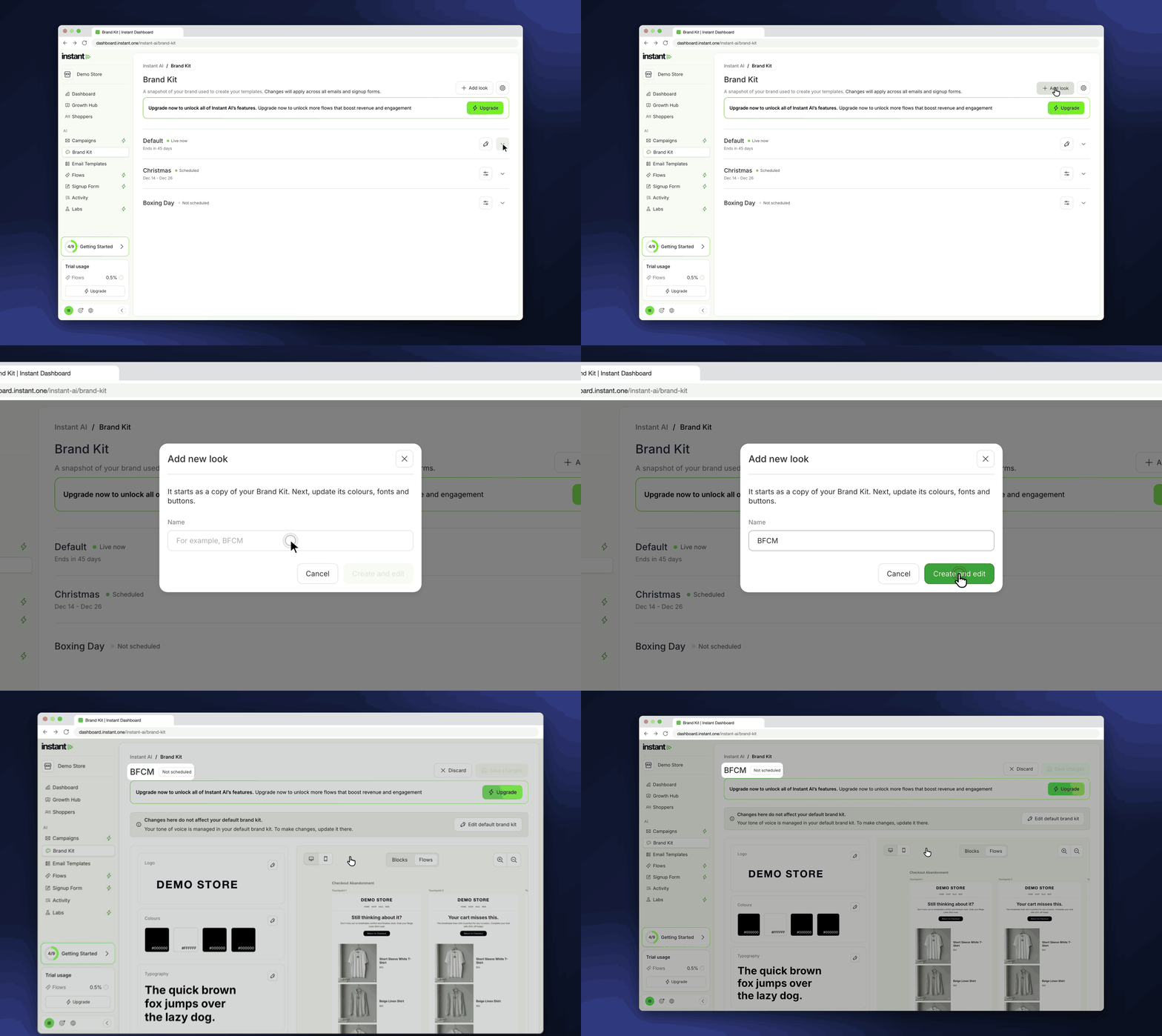
You no longer need to remember to change your Brand Kit on the day a sale starts, then change it back when it ends. Instant checks which look is live when each email sends, so an email never goes out in the wrong branding at either end of your sale. A look is a copy of your Brand Kit from the day you make it, so later changes to your Default look do not go into it. While a look is live, your emails use it in place of your Default. Looks change your emails only: your sign-up forms and AI campaign images keep your Default look.
- A new look in your Brand Kit has its own colours, fonts, buttons, images and logo, so you can design your sale branding ahead of time
- Find it under Instant AI > Brand Kit > Add look. Each look starts as a copy of your Brand Kit, so you change only what is different for the sale
- Set a start and end date and time when you save, and click Add more dates to run the same look for more than one sale
- Every flow and campaign email that sends between those dates uses the look, then your emails go back to your Default look
- Each look shows if it is Live now, Scheduled, Not scheduled or Ended, and End now stops a live look straight away