

Pause all coupons for a set time
Pause every Instant coupon for a set time, so shoppers don't get a flow coupon on top of a sitewide sale.
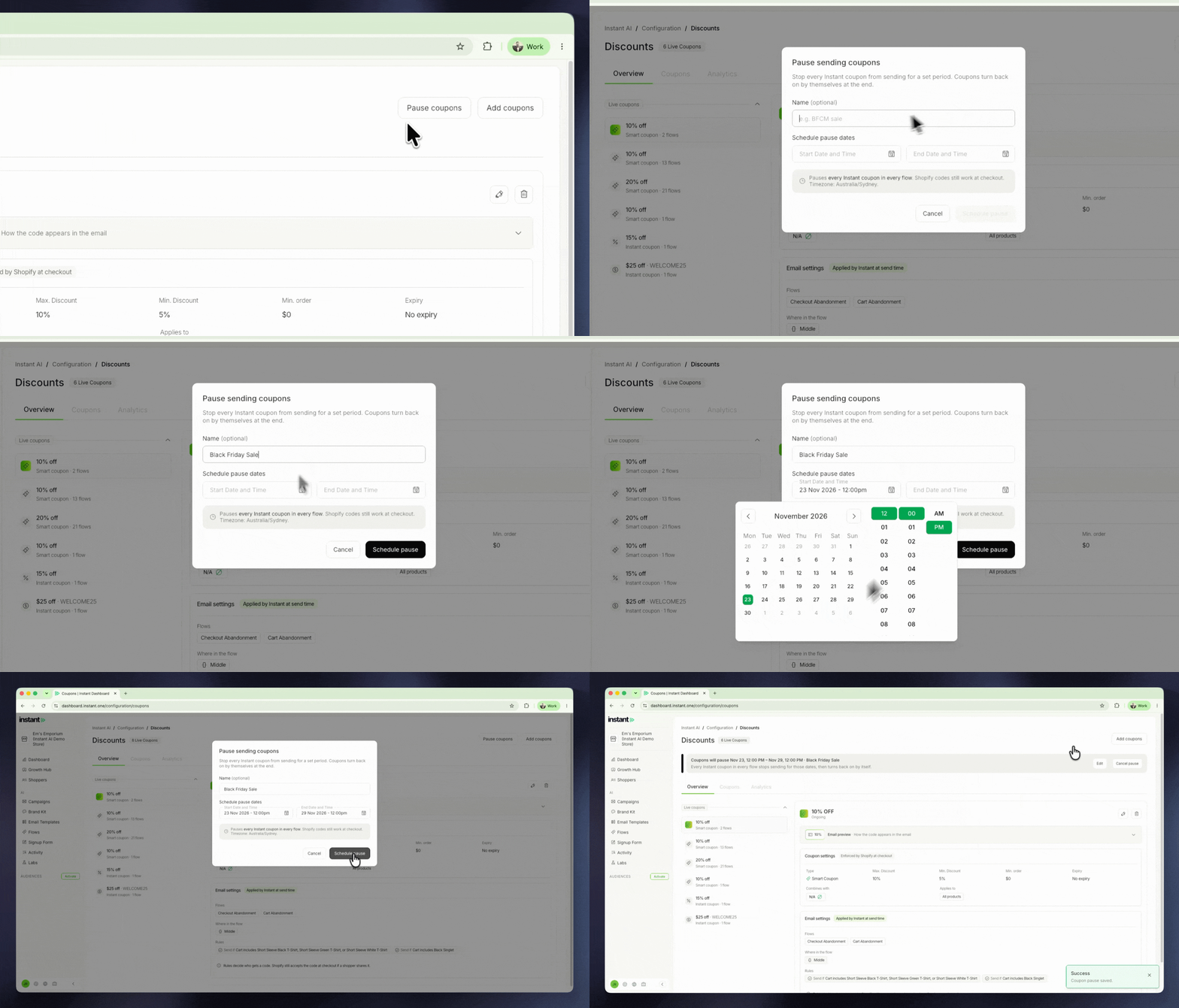
A pause covers every Instant coupon at once. It stops the coupon block and code being added to your emails, but it does not remove coupon text you typed into your own email copy. You can now set up a storewide sale once, without your flows sending a second discount on top. Coupons turn back on by themselves when the pause ends, so there is nothing to remember afterwards.
- Pause every Instant coupon for a set time, so shoppers do not get a flow coupon on top of a sitewide sale
- Set a start and end date and time (in your store's timezone) and an optional name like "BFCM Sale", then pause straight away or schedule it ahead
- A banner at the top of the page shows a scheduled or active pause, and you can edit it, cancel it or resume coupons early from there
- While coupons are paused, every coupon card greys out and shows "Paused · resumes" with the date they come back on
- Find it under Coupons > Pause coupons, next to Add coupons