

Merchants can now bulk suppress (and un-suppress) shoppers from the Dashboard
Suppress or un-suppress every shopper in a segment in one action, from the shoppers menu.
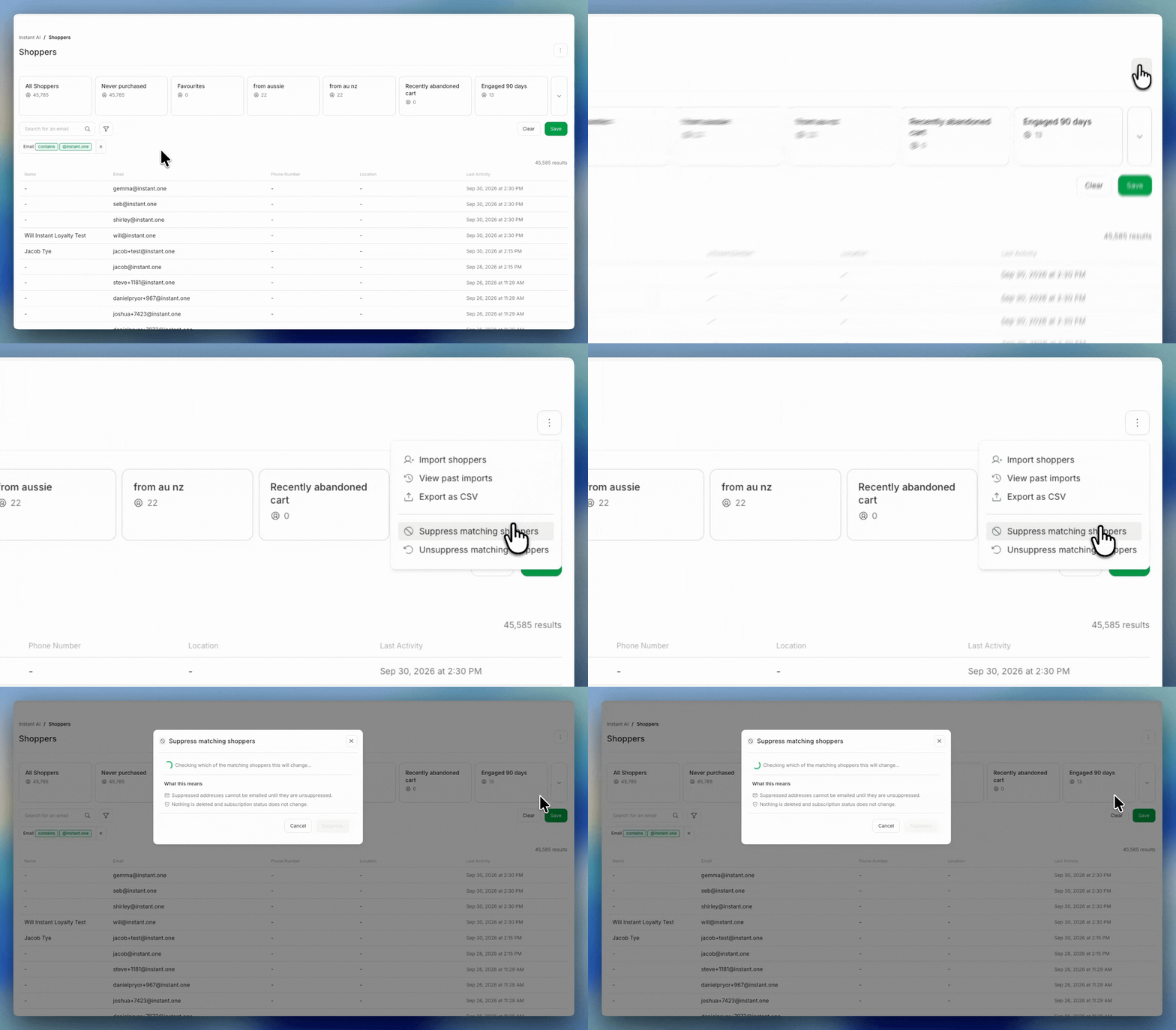
Suppression already works on a single shopper profile. This applies it to a whole segment at once, so a bulk change no longer needs our team to run it for you. You now control who you email in bulk, on your own. The live count shows you exactly how many shoppers a change will touch before you confirm it.
- Suppress or un-suppress every shopper in a segment in one action, right from the shoppers menu
- Filter to the segment you want, then select "Suppress matching shoppers" or "Unsuppress matching shoppers"
- A confirmation step shows a live count of how many shoppers match before anything runs