

Export sign-up form submissions
Download the shoppers who submitted your sign-up form as a CSV, filtered by date and channel.
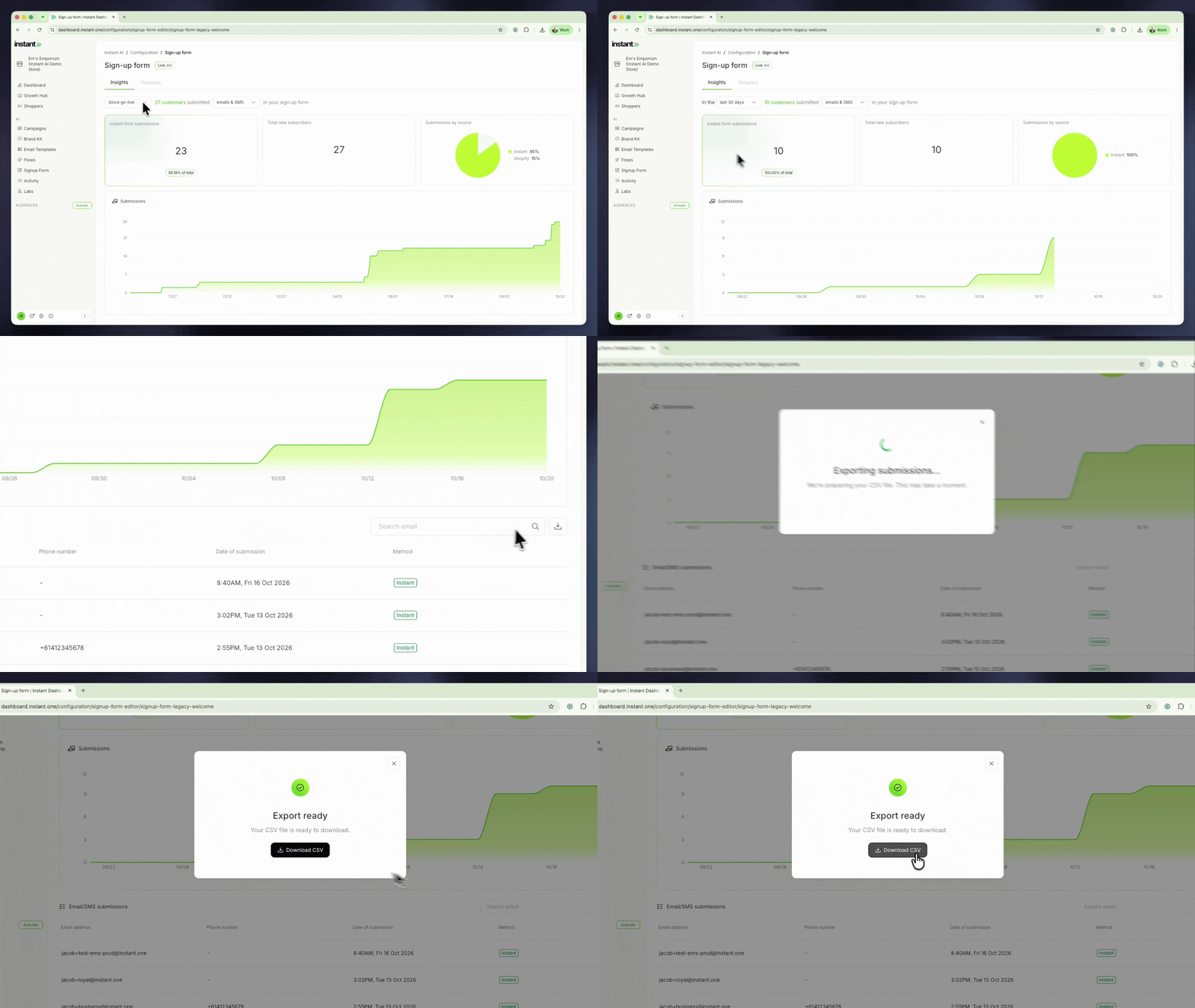
Until now, the Insights tab showed who signed up through your forms, but you could not take that list out of Instant. Now you can pull your new SMS or email subscribers yourself, whenever you need them. For example, export everyone who signed up during a giveaway or a competition, or upload the list into another tool.
- Export everyone who submitted your sign-up form as a CSV, filtered by date range and channel
- Find it under Signup Form > Insights, then click the download button next to the search box
- Choose emails, SMS or emails & SMS to export one channel or both
- Each row has the email, phone number, submission time (in UTC) and the form the shopper used
- The Email/SMS submissions table uses the same date range and channel, so you can check who signed up before you export