

Edit one block and update every email that uses it
Make a block once, use it in any flow or campaign email, and update all of them with one edit.
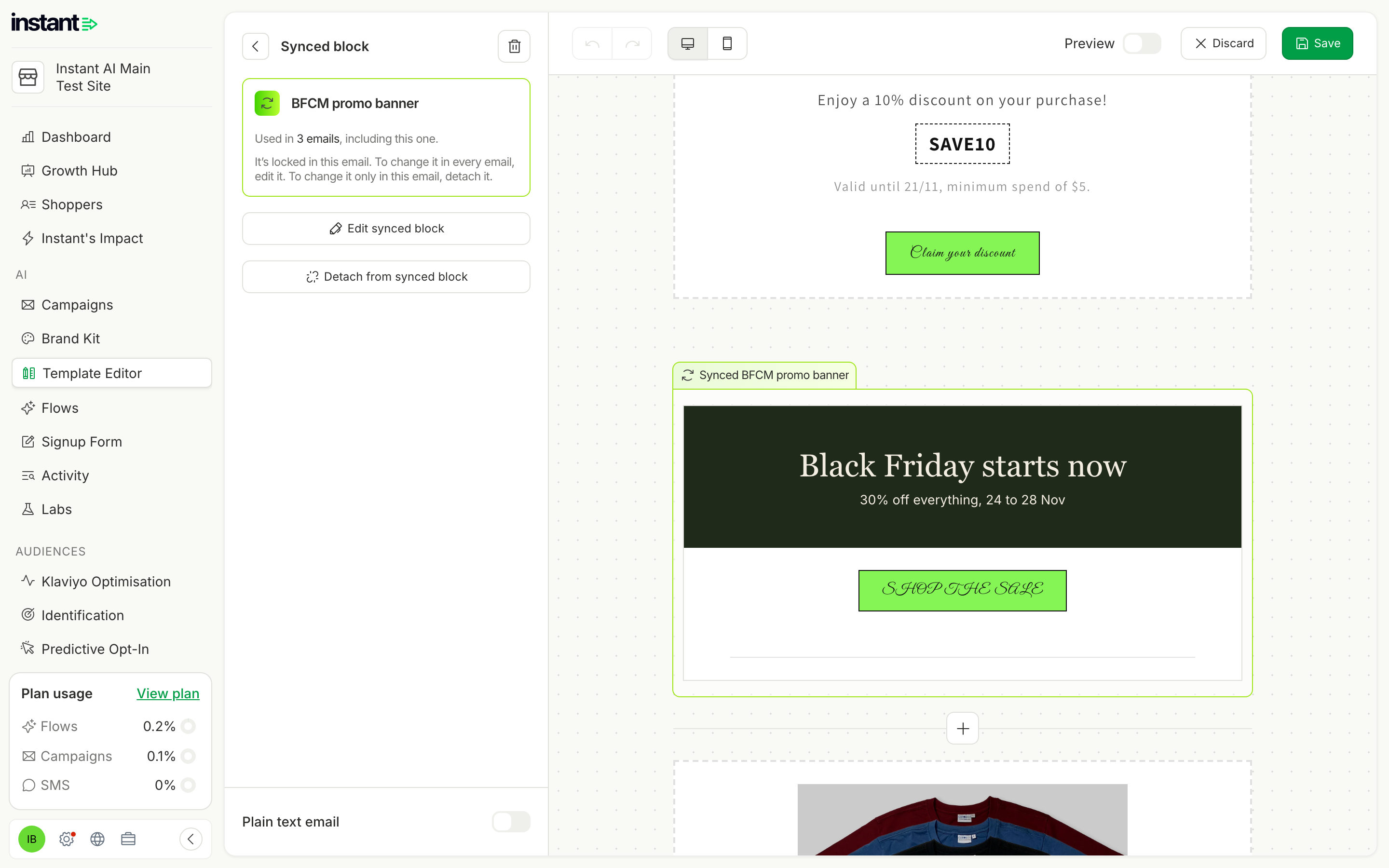
Stop editing the same banner or offer in many emails one by one. One edit keeps every flow and campaign current, so old offers never stay live by mistake, even at Black Friday.
- Save any Layout or Smart Rules block as a synced block, or create one from scratch.
- Add a synced block to any flow or campaign email from the block library.
- Edit it once, and every email that uses it updates. See where each block is used, or detach it from one email.
- Find it in Template Editor → Templates → Synced blocks, or in the email editor under Add blocks → Content → Synced blocks.