

Connect Northbeam to Instant AI
Connect Northbeam so it can match visits from your Instant AI emails to the orders your shoppers place.
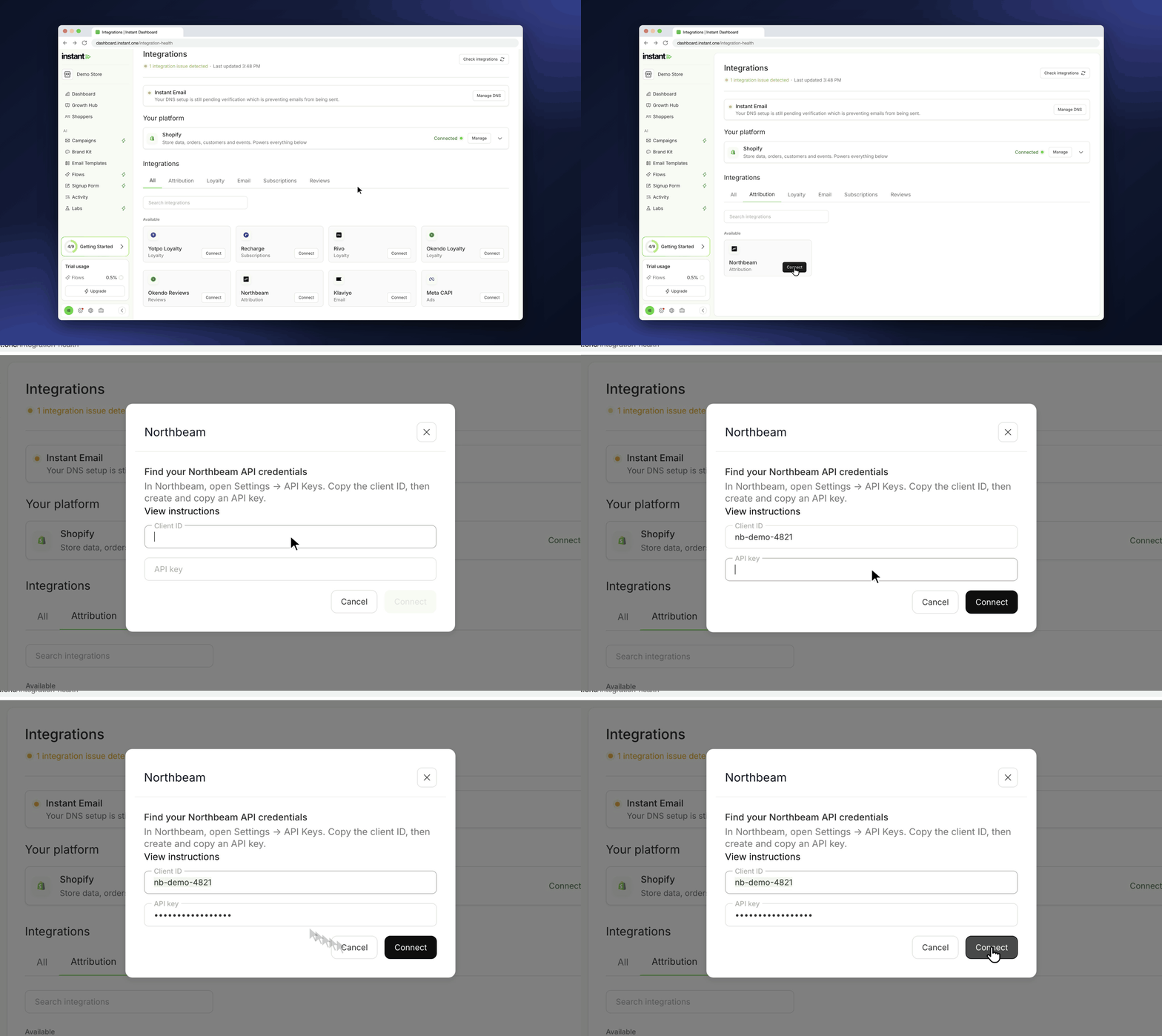
With Northbeam connected, you can see more of Instant AI's results in the tool you already report from. Your store needs the Northbeam pixel installed, because Instant does not install it for you.
- Find it under Settings cog > Integrations > Attribution, then click Connect on Northbeam
- Paste your Client ID and an API key from Settings > API Keys in Northbeam
- Once connected, Instant tells your store's Northbeam pixel which shopper clicked your Instant AI email
- Northbeam can then match their visits to the orders they place, including orders placed later, in a new session or on another device
- This works for flow and campaign emails sent after you connect. SMS is not included