

Add a YouTube video to your emails
Merchants can now link a video from any email with the new Media block, which shows a poster image that opens the video.
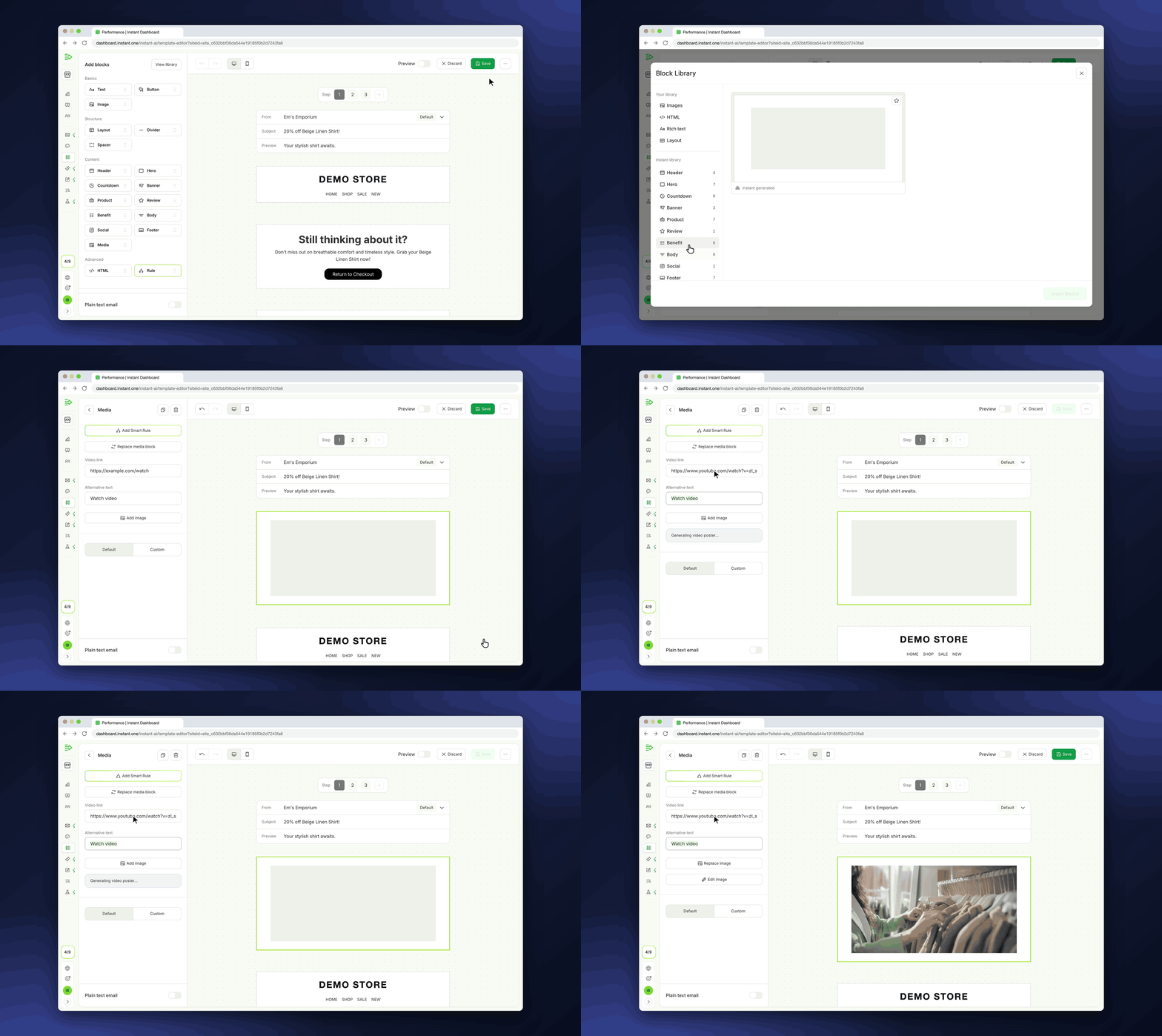
- Merchants can show products in use, such as how-to videos and launches, in their emails.
- Every merchant now has the Media block.
- A new *Media* block is in the email editor's block list, in Campaigns, Flows, and the Template editor.
- Click *Media, choose the block, and click Insert*.
- Paste a YouTube link in *Video link*. Instant makes the poster image from the video.
- For a video from another site, such as Vimeo or the merchant's store, click *Add image* to upload a poster.
- Shoppers click the poster to open the video.
- Under *Custom*, you can add a play button, and set its colours and size, the padding, and the border.